Photonen im Orbit
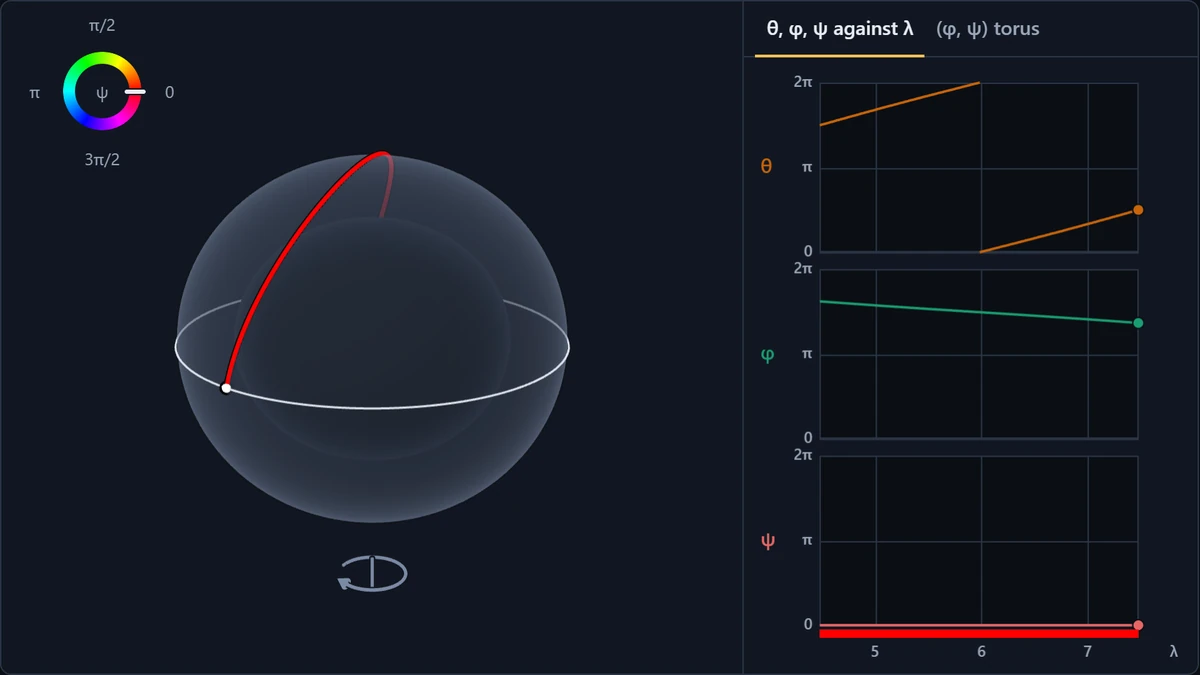
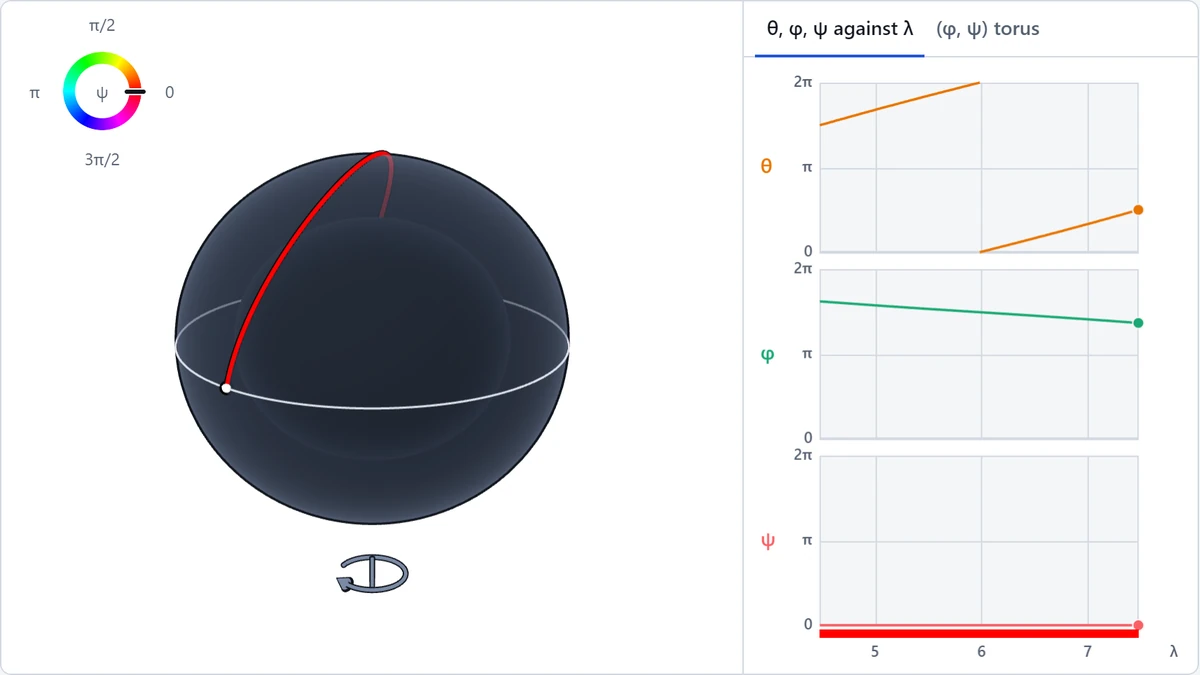
Licht, das ein rotierendes fünfdimensionales Schwarzes Loch umkreist.
Projektbeschreibung und Demo gibt es bisher nur auf Englisch.
What is this demo?
This demo visualises what these photon orbits would look like around a rotating black hole in five-dimensional spacetime, the Myers–Perry black hole. It is based on the work I did in my 2018 paper, Spherical photon orbits around a 5D Myers-Perry black hole. You can choose the spin of the black hole, as well as the angular momenta of the photon. The demo finds the orbit and sends the photon round it. The presets reproduce the paper’s figures.
The demo was inspired by Leo Stein’s Kerr spherical photon orbits tool, which creates a similar visualisation for the four-dimensional Kerr black hole.
How can we study light orbiting a black hole?
Black holes are exotic objects in our universe, but studying the Einstein Field Equations which describe gravity allows us to understand these objects and their strange gravitational behaviour. The mathematics tells us that a black hole that is rotating will drag space and time along with it. Close to such a rotating black hole, the curvature of spacetime is so great that light can orbit the black hole as though it were a satellite. The light stays at a constant distance away from the black hole, so these orbits are called spherical photon orbits. Around the ordinary rotating black hole of four-dimensional spacetime, the Kerr black hole, they are well studied. They are also related to a wide array of other topics such as what a star would look like undergoing gravitational collapse, what a black hole shadow would look like and what the night sky would look like to an observer near a black hole.
How does a 5-dimensional black hole differ from a “normal” black hole in 4 dimensions?
Apart from living in a five-dimensional universe, the main difference between a rotating black hole in four dimensions and a rotating black hole in five dimensions is the spin. In three dimensions of space, an object spins in a plane and there is only one orthogonal dimension to this, so the spin of an object is characterised by one number (the rotation parameter, a, of the Kerr black hole). With four dimensions of space, specifying a plane in which an object is rotating leaves you with two orthogonal dimensions in which the object could also be rotating – the object is therefore specified by two spins. For a spinning five-dimensional black hole there are therefore two numbers which specify how much it is spinning, these are the a and b parameters in the demo.
The motion of the photon is also different in five dimensions than in four dimensions. Just as the black hole has two notions of spin, the photon has two types of angular momentum, Φ and Ψ. In the demo, you can freely choose the angular momenta of the photon within the ranges which still give spherical orbits.
How do you visualise 5-dimensional spacetime?
A spherical photon orbit stays at one radius. So, leaving out time, the photon moves on a three-dimensional surface, described by the angles θ, φ and ψ. This set of angles describes a three-sphere, which we can’t visualise very easily in three dimensions (the usual sphere you will be used to, like a beach ball, is a 2-sphere, so this is a higher-dimensional version of that). To make the orbits easier to visualise, I use a trick to encode the extra information using colour.
The demo uses the paper’s picture:
X = √(r² + a²) sin θ cos φ
Y = √(r² + a²) sin θ sin φ
Z = √(r² + b²) cos θ
colour = ψ
In the plane of a, the photon is √(r² + a²) sin θ from the centre, in the direction φ. In the plane of b, it is √(r² + b²) cos θ from the centre, in the direction ψ. X and Y are its position in the plane of a. Z is its distance from the centre in the plane of b, drawn as height, and the colour is its direction in that plane. So the picture leaves nothing out: position and colour together give all four coordinates of space.
At a fixed radius, every point lies on a spheroid. It is flattened when a > b, a sphere when a = b, and stretched along Z when b > a, as in Fig 4.6, the paper’s “football”. The paper’s projection also turns the picture by a constant angle, arctan(a/r). At a fixed radius that is a rigid rotation, so the demo leaves it out and turns the camera instead.
The colours are the paper’s colour wheel from Fig 4.1: red at ψ = 0, then yellow, green, cyan, blue and magenta every π/3. The ring at the top left of the 3D view is the key, with a needle at the photon’s ψ. Opposite colours are harder to tell apart for red–green colour-blind viewers, so the side panel’s torus shows ψ by position too.
When Φ = 0 the orbit passes straight over the pole, and when Ψ = 0 it crosses the equator. There, the coordinates carry straight on, as in the paper’s figures: the path goes over the pole, or crosses onto the lower half of the spheroid keeping its colour. Any nonzero momentum keeps the orbit away from the axis, and it turns back just short of it, with a quick sweep of φ or ψ.
The link with Kerr. When b = 0 and Ψ = 0, the hole doesn’t turn in the plane of b, and the photon has no angular momentum in it. So the photon moves along a fixed line through the centre of that plane: ψ never changes, and the whole orbit is one colour. The picture is then like the usual pictures of spherical photon orbits around a Kerr black hole. X and Y span the plane the hole turns in, Z is at right angles to it, like Kerr’s axis, and the orbit swings across the equator from one side to the other. Figs 4.2 and 4.3 are like this. The orbits themselves are not Kerr’s, since this is a different black hole, but they read the same way.
What do the controls do? What do the graphs show?
- Spins sets the rotation parameters, a and b, of the black hole. They are held to a + b ≤ 1, since beyond that there is no horizon. At a + b = 1 the hole is extremal, and an “Extremal” label appears.
- Momenta is a pad, with Φ across and Ψ up. The shaded region holds the pairs that have a spherical orbit, and the tint shows the radius of the orbit, darker for orbits closer in, lighter for farther out. Drag the dot to choose an orbit. It snaps to the axes, where Φ = 0 or Ψ = 0, and the sliders and the arrow keys move it in finer steps.
- Trail length is how much of the photon’s past path stays drawn. It is measured in the affine parameter λ, which is the demo’s clock.
- The arrow below the spheroid shows which way the hole turns in the plane of a. Its turning in the plane of b shows only in the colours, so b’s arrow goes round the colour key.
The region on the pad is a convex, curved diamond, and outside it there is no spherical orbit. Its corners are circular orbits in each of the two planes, and its edges are orbits that stay at one latitude.
The side panel plots θ, φ and ψ against λ over the visible trail. The strip of colour under ψ is the trail’s colour at each moment. φ and ψ run from 0 to 2π and wrap round. The curves are geodesics, so they stay smooth through the axes: there, θ carries on past 0 or π/2 instead of jumping.
The second tab puts the trail on a torus, with φ across and ψ up, each from 0 to 2π. Each swing in latitude advances φ and ψ by a fixed number of turns, which the status line gives. Only if both are rational does the orbit close, and then it is a closed curve on the torus. Any other orbit never repeats: over time it fills the square, and in 3D the whole band of latitudes.
What does extremal mean?
A black hole of a given mass can only spin so fast. A rotating black hole has two horizons, the event horizon and an inner horizon inside it. As the spin grows, they move together, and at the fastest spin they merge. That black hole is extremal. Any faster, and there would be no horizon at all, just a naked singularity, which the cosmic censorship conjecture says should never form. An extremal black hole is also cold: its Hawking temperature is zero.
For a Kerr black hole of mass M, extremal means a = M, in units where G = c = 1. For the Myers–Perry black hole, with μ = 1, it means a + b = 1, and the two horizons meet at r² = ab. With only one spin, there is no inner horizon to meet, and as a approaches 1 the event horizon shrinks to nothing. So the demo’s extremal holes spin in both planes. Fig 4.8, with a = 0.9 and b = 0.1, is one.
How was this demo made?
The computation. The demo doesn’t simulate the photon one small step at a time. Instead, it makes use of how regular the orbit is. A spherical photon orbit stays at a fixed radius, and each swing between its two latitudes is the same as the last, apart from how far the photon has turned in φ and ψ. So the demo works out a single swing very precisely, and builds the whole path by repeating it. To do this, it writes the equations of motion in Mino time, which separates the swing in latitude from everything else, and integrates over one swing with Simpson’s rule, handling the sharp spikes near the axes exactly. The path is accurate to about 10⁻⁷, a long trail never drifts, and a direct integration of the full geodesic equations agrees with it. These orbits are unstable, so, as in the paper, the demo holds the radius fixed and shows the ideal orbit.
The code is on GitHub. The Python model’s tests check it against the paper, against closed forms and against the direct integration, and the JavaScript’s tests replay the model’s results. The 3D view is drawn with three.js, and the pad and the side panel on plain canvases.
Agentic coding: I built the demo with Claude Code, Anthropic’s coding agent, in stages.
- Research. The agent checked the paper line by line, reproduced its figures, and surveyed the tools that already exist, Leo Stein’s among them.
- A plan, in which I settled the design questions, such as the colour wheel, how to draw orbits through the axes, and which clock to use.
- The physics: the Python model and its tests, and a document of every equation as implemented, which I reviewed.
- The JavaScript port, whose tests replay the Python model’s results.
- The interface: the 3D view, then the pad and the presets, fitted to the paper’s figures by script, then the side panel. The agent checked each in a headless browser before I reviewed it.
References
- Bugden, M. (2018). Spherical photon orbits around a 5D Myers-Perry black hole. General Relativity and Gravitation 50. arXiv:1801.03389.
- Myers, R. C. and Perry, M. J. (1986). Black holes in higher dimensional space-times. Annals of Physics 172, 304–347.
- Frolov, V. P. and Stojković, D. (2003). Particle and light motion in a space-time of a five-dimensional rotating black hole. Physical Review D 68, 064011.
- Teo, E. (2003). Spherical photon orbits around a Kerr black hole. General Relativity and Gravitation 35, 1909–1926.